Recipes
Recipes are shared with everyone in your group — anyone can add, edit or plan with them.
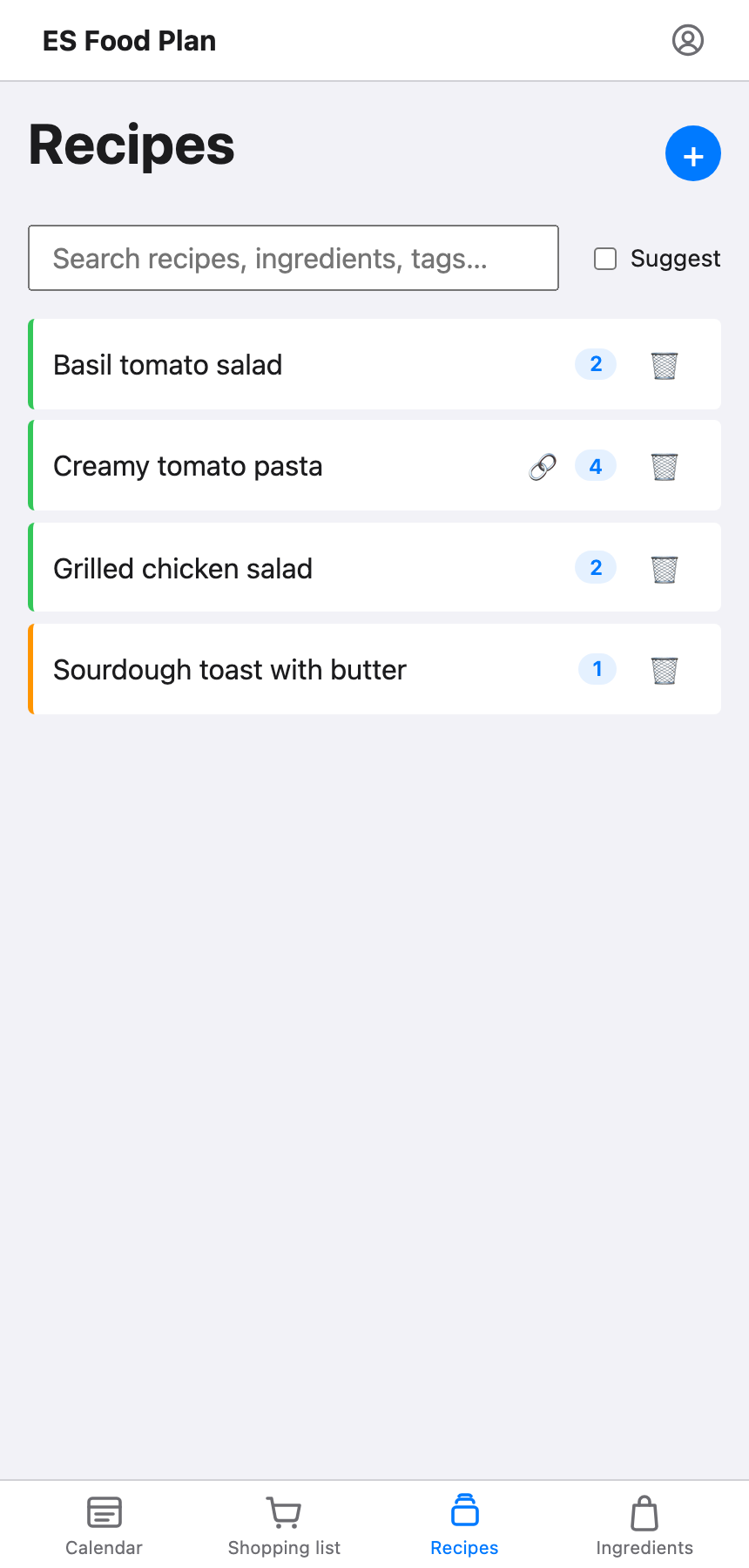
Once a couple of recipes are on the calendar, a Suggest toggle appears here too — see Suggesting recipes to add on the calendar page.
Adding a recipe
Give it a name and, optionally, a link to the original source (a blog post, a recipe site, wherever it came from). You can then add ingredients one at a time: pick an ingredient, a unit, and an amount.
Scraping ingredients from text
Rather than adding ingredients one at a time, you can copy the ingredient list from wherever the recipe came from and paste it in as plain text. This doesn’t fetch anything from the link automatically — you still copy the text yourself, from the source, into the paste box. ES Food Plan then does its best-guess matching against your ingredient list, line by line.
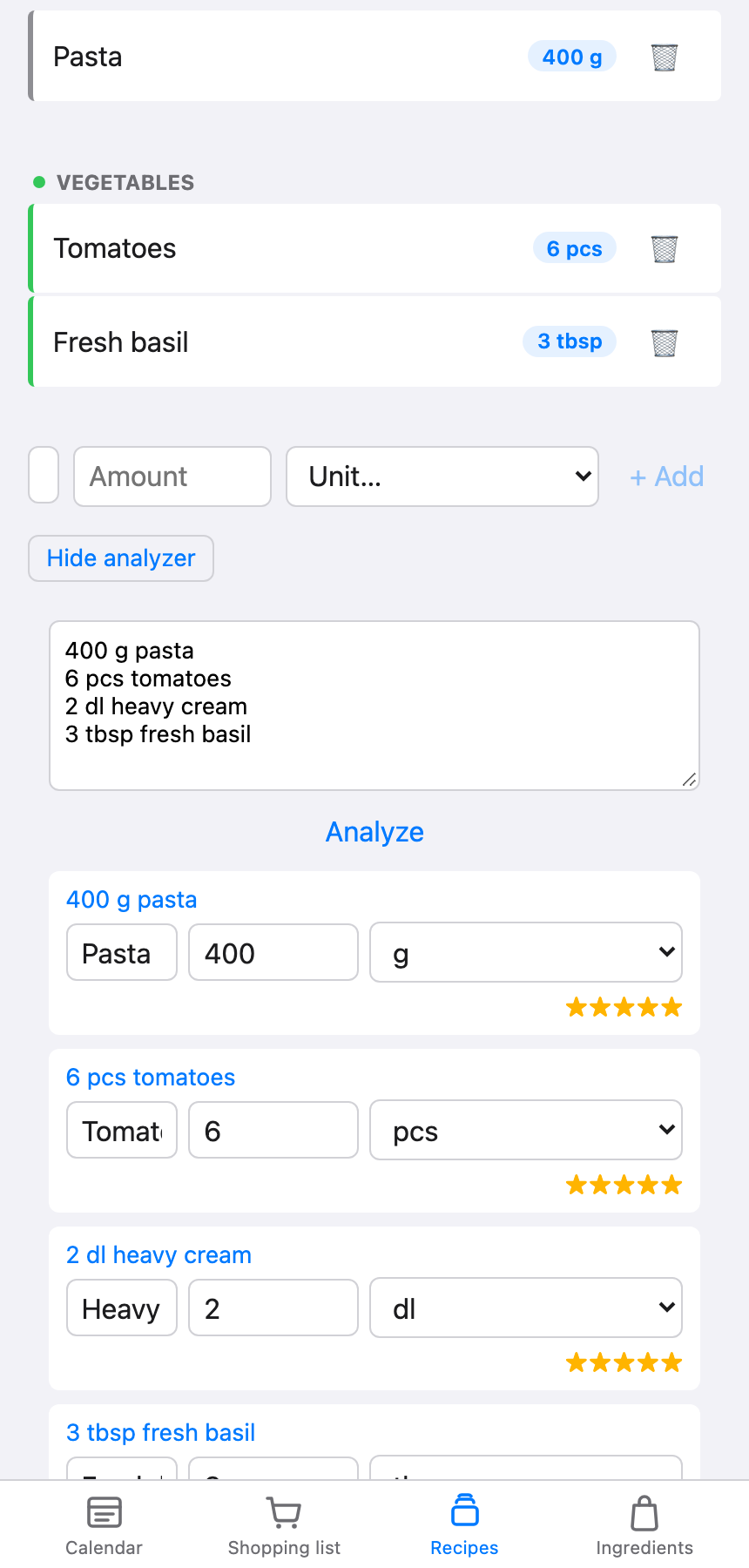
Check each matched line before applying it — the matching is best-guess, not perfect, especially for unusual units or ingredient names it hasn’t seen before. Once you apply it, the matched lines are added to the recipe’s ingredient list alongside anything already there, so it’s safe to add a few ingredients by hand first and then bring in the rest from a scrape.
Tags
You can tag recipes (for example, by cuisine or meal type) to make them easier to find and filter later.
Editing or deleting a recipe
Anyone in the group can edit a recipe. Only whoever originally added a recipe can delete it.